Basic Auth Decode
The Basic Auth Decode tool is a free online utility that allows you to decode basic authorization headers. Simply paste your Basic Auth header (with or without the "Basic " prefix) and instantly decode it to reveal the username and password. This basic authentication decoder supports multiple input formats including newline-separated, comma-separated, JSON arrays, and more - with automatic format detection. Decode several credentials at once using your preferred format separator.
Supported Input Formats
This tool supports multiple input formats with automatic detection. Here are examples of each format:
Standard Formats
- Newline separated (one per line):
Basic dXNlcm5hbWU6cGFzc3dvcmQ= Basic YWRtaW46YWRtaW4xMjM= - Comma separated:
Basic dXNlcm5hbWU6cGFzc3dvcmQ=, Basic YWRtaW46YWRtaW4xMjM= - Semicolon separated:
Basic dXNlcm5hbWU6cGFzc3dvcmQ=; Basic YWRtaW46YWRtaW4xMjM= - Pipe separated:
Basic dXNlcm5hbWU6cGFzc3dvcmQ= | Basic YWRtaW46YWRtaW4xMjM= - Tab separated:
Basic dXNlcm5hbWU6cGFzc3dvcmQ= Basic YWRtaW46YWRtaW4xMjM=
Advanced Formats
- JSON array:
["Basic dXNlcm5hbWU6cGFzc3dvcmQ=", "Basic YWRtaW46YWRtaW4xMjM="] - JSON object:
{"auth_header": "Basic dXNlcm5hbWU6cGFzc3dvcmQ=", "user_id": 123} - Log format with timestamps:
[2024-01-15 10:30:45] Basic dXNlcm5hbWU6cGFzc3dvcmQ= [2024-01-15 10:30:46] Authorization: Basic YWRtaW46YWRtaW4xMjM= - Without "Basic" prefix:
dXNlcm5hbWU6cGFzc3dvcmQ=
YWRtaW46YWRtaW4xMjM=
What is Basic Authentication?
Basic authentication (Basic Auth) is a simple authentication scheme built into the HTTP protocol. When a client requests a protected resource, the server responds with a 401 Unauthorized status and a WWW-Authenticate header. The client then sends credentials in the Authorization header using the format: Basic [base64-encoded-credentials], where the credentials are encoded as username:password in Base64.
Where is Basic Auth Used?
Basic authentication is commonly found in:
- Legacy APIs and web services - Older REST APIs and SOAP services
- Internal tools and admin panels - Quick authentication for internal systems
- Development environments - Testing and debugging during development
- Network devices - Routers, printers, and IoT devices with simple interfaces
- .htaccess protected directories - Apache web server directory protection
- HTTP proxies - Proxy authentication mechanisms
Why You Should Avoid Basic Authentication
Security experts recommend avoiding basic authorization for the following critical reasons:
- Credentials Sent with Every Request - Unlike token-based authentication, Basic Auth sends your username and password with every single HTTP request. This constant transmission increases the window of opportunity for interception.
- Base64 is NOT Encryption - The credentials are merely Base64-encoded, which is an encoding method, not encryption. Anyone with access to the network traffic can easily decode the credentials using a basic auth decode tool like this one. Base64 provides zero security protection.
- Vulnerable Without HTTPS - Without HTTPS/TLS encryption, Basic Auth credentials are transmitted in plaintext (just Base64-encoded). This makes them trivially easy to intercept using network sniffing tools. Even with HTTPS, the fundamental security weaknesses remain.
- No Built-in Logout Mechanism - Basic authentication has no standard logout process. Browsers cache credentials and automatically send them with subsequent requests. The only way to "logout" is to close the browser or send invalid credentials.
- Vulnerable to Replay Attacks - If an attacker captures a Basic Auth header, they can replay it indefinitely. There's no expiration, no session management, and no way to revoke access without changing the password.
- No Protection Against Brute Force - Basic authentication has no built-in rate limiting or account lockout mechanisms, making it vulnerable to automated brute force attacks.
Secure Alternatives to Basic Auth
Modern applications should use these authentication methods instead:
- OAuth 2.0 / OpenID Connect - Industry standard for authorization and authentication
- JWT (JSON Web Tokens) - Stateless token-based authentication with expiration
- API Keys - For service-to-service authentication (with proper rotation)
- Session-based authentication - With secure, HttpOnly cookies
- Mutual TLS (mTLS) - Certificate-based authentication for high-security scenarios
When Basic Auth Might Be Acceptable
Basic authentication may be acceptable only in very limited scenarios:
- Internal tools in a completely trusted network environment
- Development and testing environments (never production)
- As a temporary measure before implementing proper authentication
- When combined with strong HTTPS and additional security layers
Important:
Nver paste real production credentials into any online tool. Use this only for testing, debugging, or educational purposes.
 What is "aaaaigz0...my4xmda="?
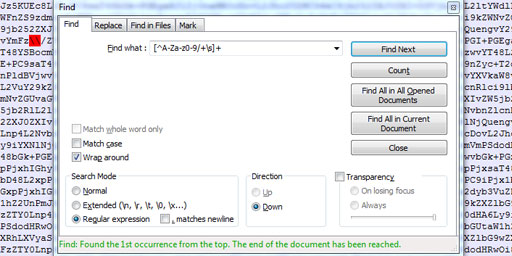 Validate Base64 using Notepad++
 Base64 encryption is a lie
Comments (3)
I hope you enjoy this discussion. In any case, I ask you to join it.